
Introduction
We will show you how to upgrade Tanzu Kubernetes Grid from 2.1.1 to 2.2.0. The TKG introduced in this article is the standalone version (TKGm).
Environment
This article uses the environment created in the following article.
| Environment |
|---|
| VMware ESXi 8 |
| VMware vCenter 8 |
| Tanzu Kubernetes Grid 2.1.1 |
| NSX Advanced Load Balancer 22.1.3 |
Preparing the required files
Several files are required when upgrading TKG. Prepare them first.
-
Visit the site below. https://customerconnect.vmware.com/downloads/details?downloadGroup=TKG-220&productId=1400&rPId=100663
-
Log in with your VMware Customer Connect account.
-
Download the files for the following items. *This article uses the Photon v3 Kubernetes v1.25.7 OVA.
| Item name | File name |
|---|---|
| VMware Tanzu CLI for Linux | tanzu-cli-bundle-linux-amd64.tar.gz |
| Kubernetes OVAs for VMware Tanzu Kubernetes Grid 2.2.0 | Download any OVA image. |
| kubectl cli v1.25.7 for Linux | kubectl-linux-v1.25.7+vmware.2.gz |
Preparing vCenter
You must deploy an OVA to vCenter before upgrading TKG.
Creating a TKR template
Deploying the OVA
-
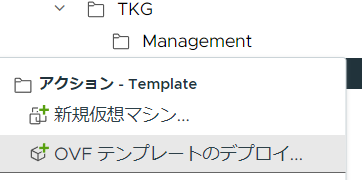
Right-click any folder and click “Deploy OVF Template”.
-
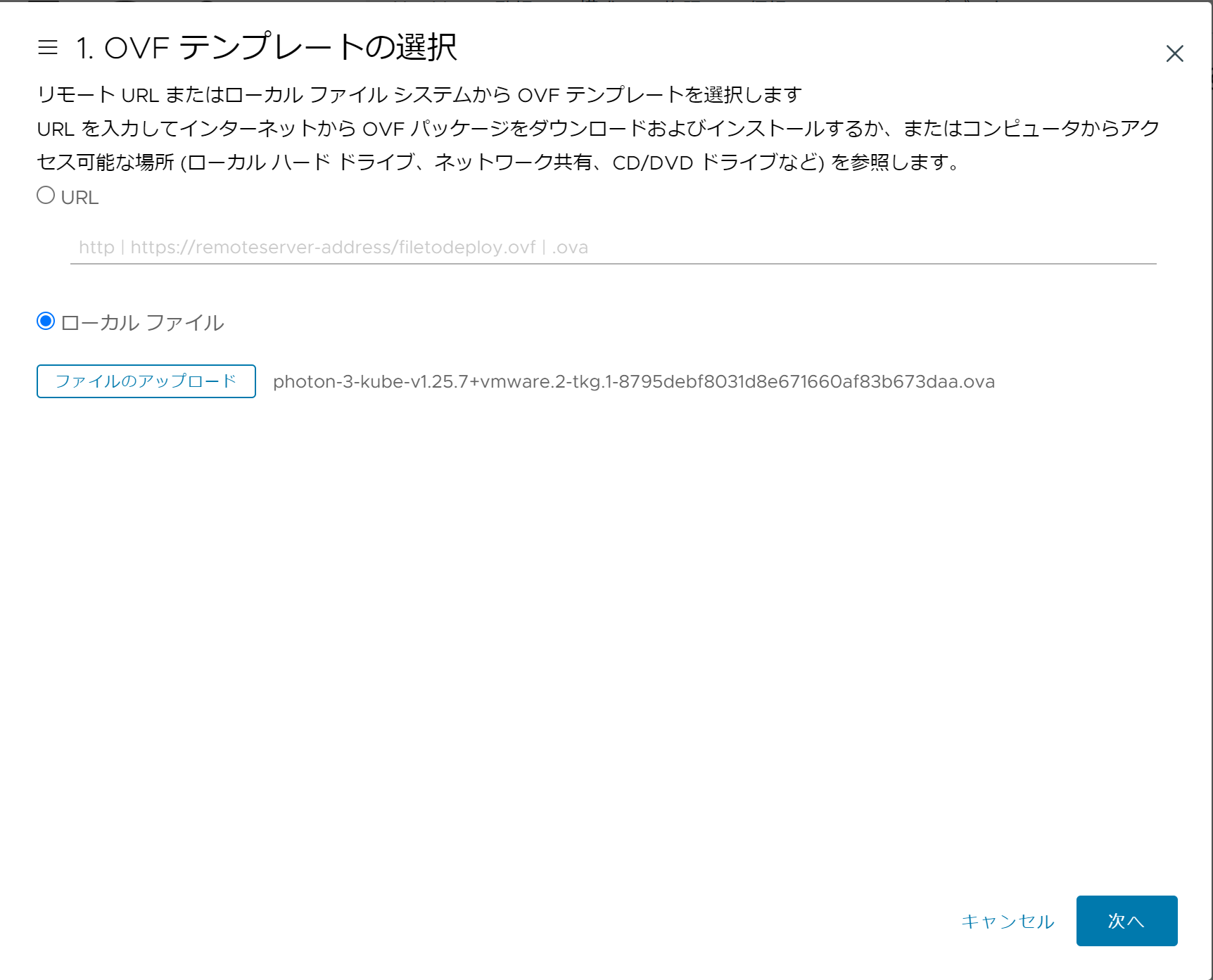
Select Local File, then select the OVA file you downloaded earlier.
-
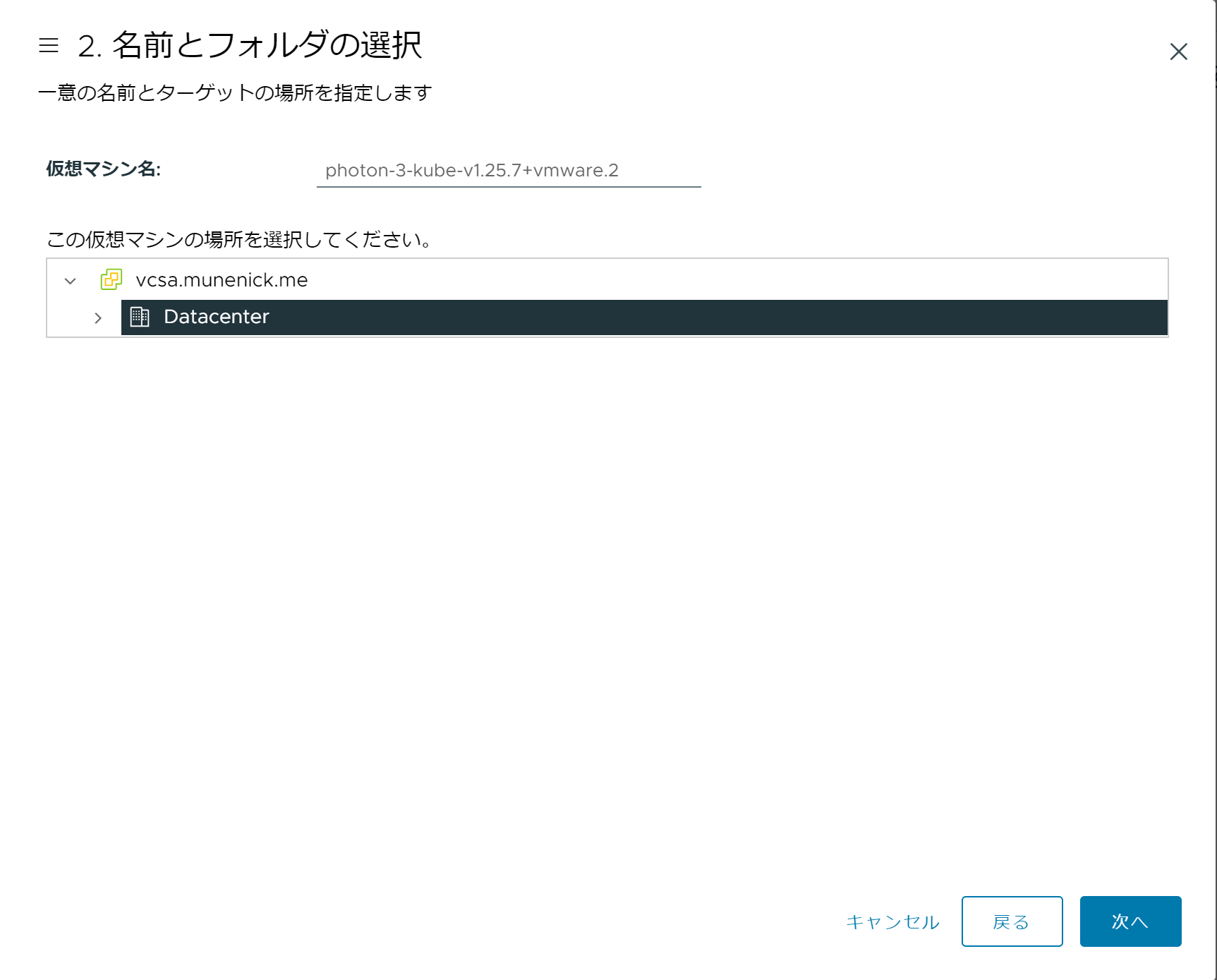
Do not change the virtual machine name in the name and folder selection.
-
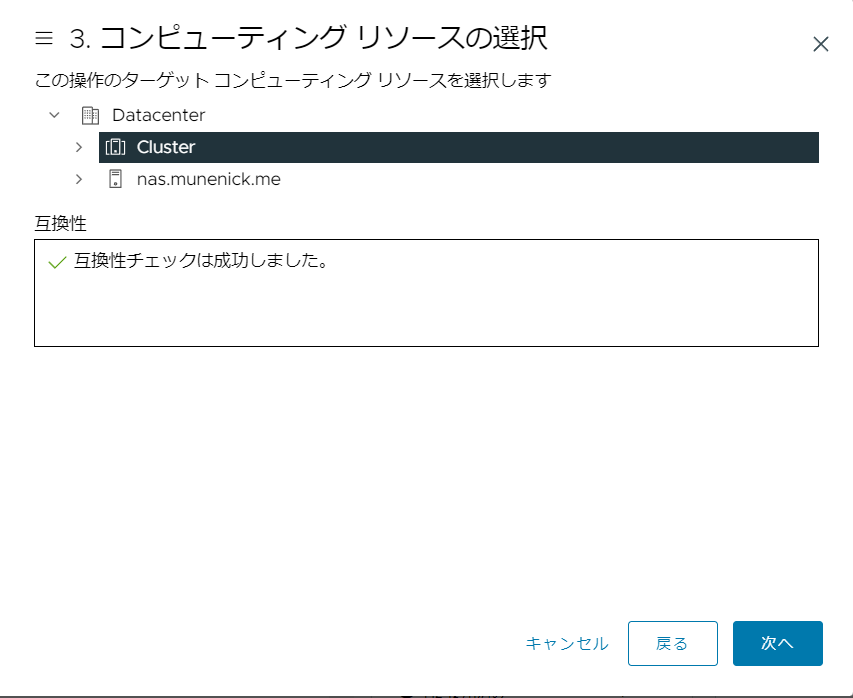
When selecting compute resources, specify the datacenter, cluster, or host that is appropriate for your environment.
-
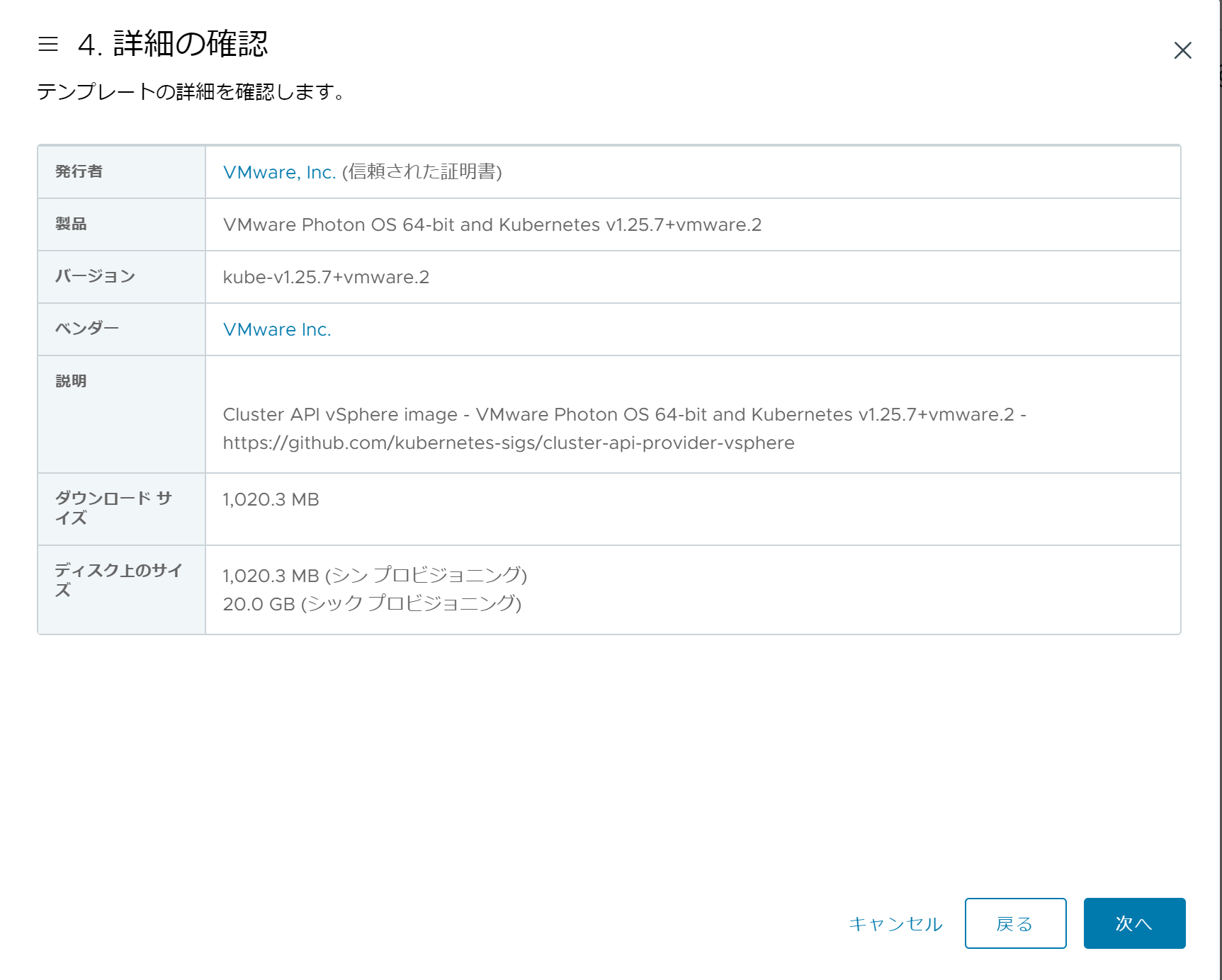
After verifying the details, click Next.
-
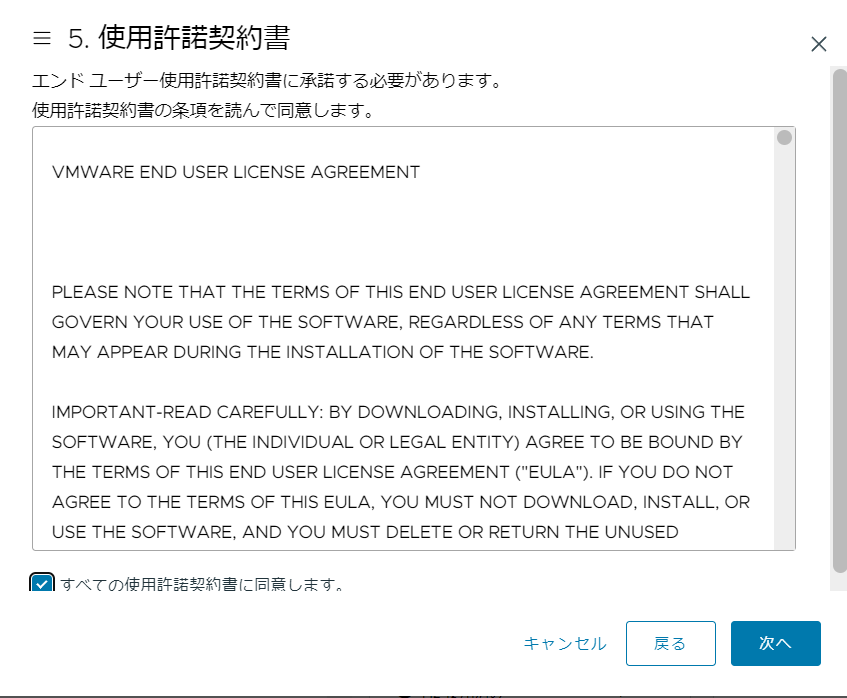
In the license agreement, check “I agree to all license terms” and click “Next”.
-
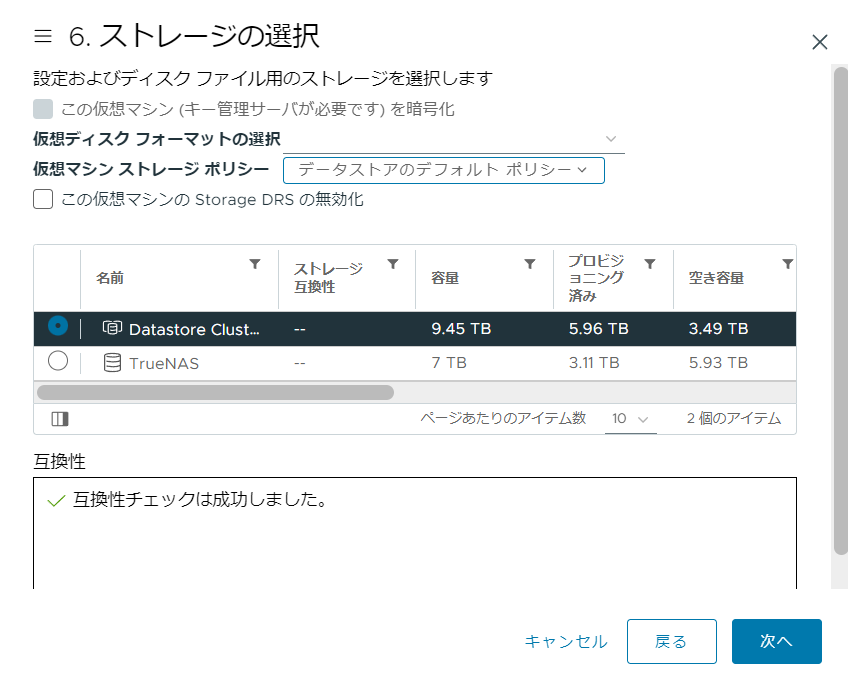
When selecting storage, choose the storage that suits your environment.
-
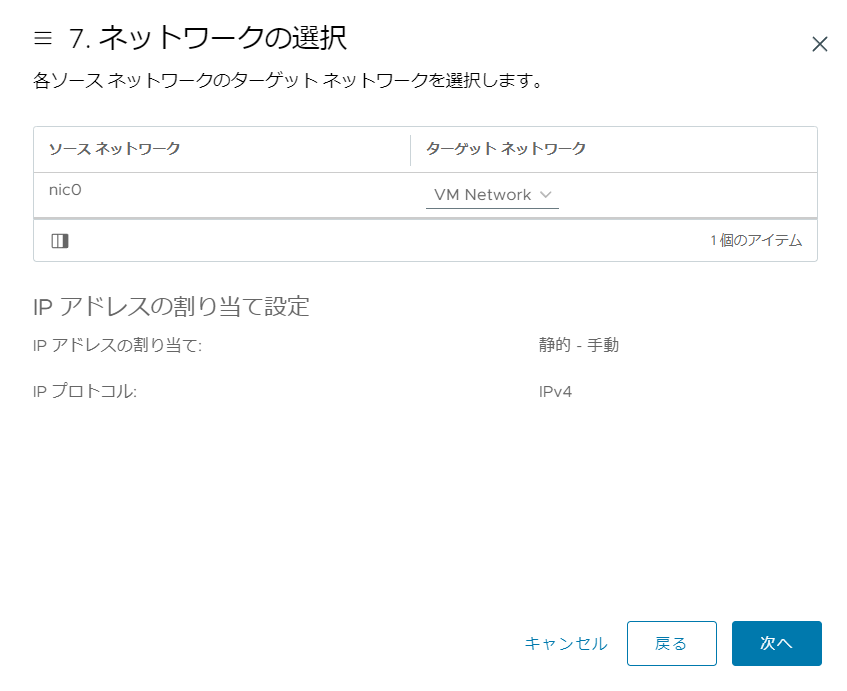
When selecting the network, the default is fine because the network interface will be overwritten when building TKG.
-
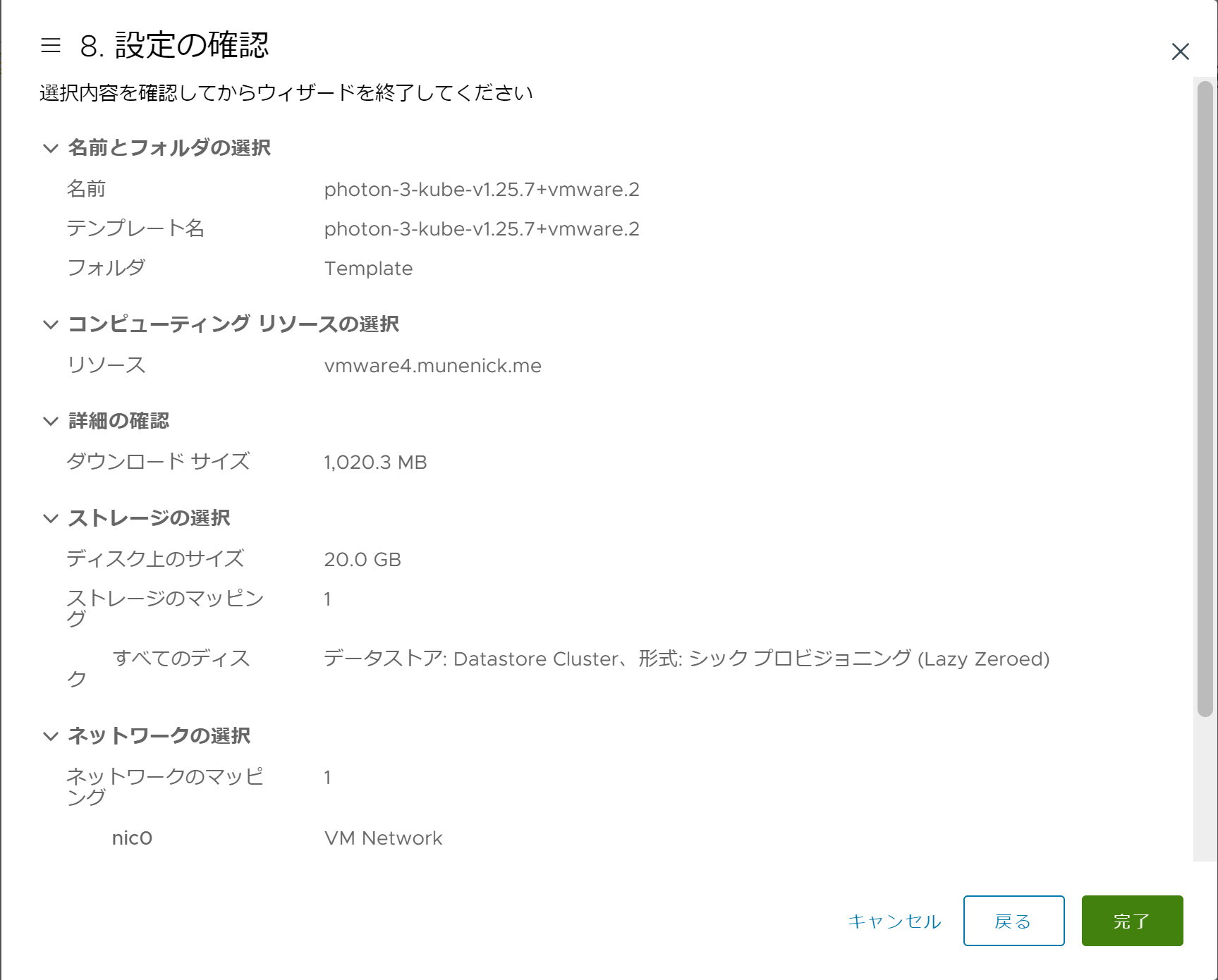
After confirming the settings, click “Finish” to deploy the OVA.
Convert to template
-
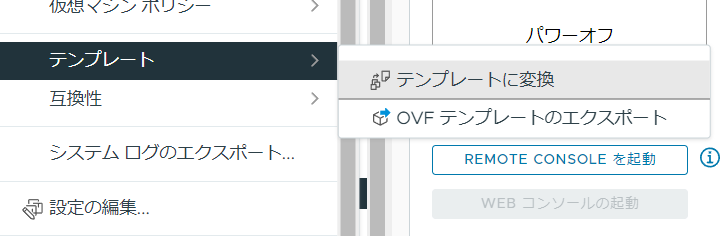
Right-click the deployed OVA image and click “Template” → “Convert to Template”.
-
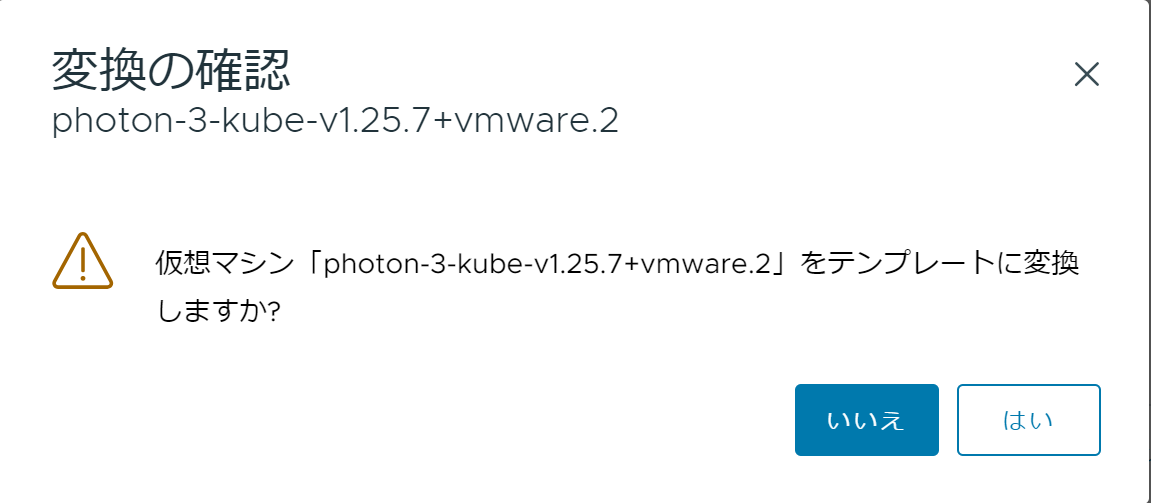
Click “Yes” to confirm the conversion.
-
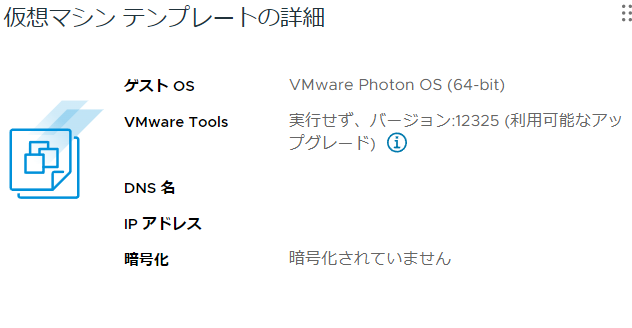
Open the virtual machine. If you see “Virtual Machine Template Details”, the template is ready.
Upgrading Tanzu CLI and kubectl
To upgrade TKG, you must first upgrade Tanzu CLI and kubectl.
Preparation
Access and prepare the environment where Tanzu CLI and kubectl are running, such as a cluster management machine or Bootstrap machine.
-
Access the cluster management machine or Bootstrap machine using SSH.
-
Transfer the following two files to the user’s home directory, such as /home/MuNeNiCK, using FTP or SCP.
- tanzu-cli-bundle-linux-amd64.tar.gz
- kubectl-linux-v1.25.7+vmware.2.gz
-
Run the following command to grant permissions to the files.
root@BootStrap [ /home/MuNeNiCK ]# chmod 777 /home/MuNeNiCK/tanzu-cli-bundle-linux-amd64.tar.gz
root@BootStrap [ /home/MuNeNiCK ]# chmod 777 kubectl-linux-v1.25.7+vmware.2.gz- Run the following command to move the compatibility file.
root@BootStrap [ /home/MuNeNiCK ]$ mv $HOME/.config/tanzu/tkg/compatibility/tkg-compatibility.yaml $HOME/.config/tanzu/tkg/compatibility/tkg-compatibility.yaml.bak- Run the following command to switch to the user who manages the cluster. *This article uses the “MuNeNiCK” user.
root@BootStrap [ /home/MuNeNiCK ]# su - MuNeNiCKUpgrading Tanzu CLI
- Extract Tanzu CLI with the following command.
MuNeNiCK [ ~ ]$ tar zxf tanzu-cli-bundle-linux-amd64.tar.gz- Check the latest version of Tanzu CLI by running the command below.
MuNeNiCK [ ~ ]$ ls cli/core/
v0.28.1 v0.29.0- Run the following command to upgrade Tanzu CLI. *Replace the version to match your environment.
MuNeNiCK [ ~ ]$ install ./cli/core/v0.29.0/tanzu-core-linux_amd64 $HOME/bin/tanzu- Run the command below to verify that the Tanzu CLI version is updated.
MuNeNiCK [ ~ ]$ tanzu version
version: v0.29.0
buildDate: 2023-05-02
sha: b25b198b0-dirty
Upgrading kubectl
- Extract and install kubectl with the following command.
MuNeNiCK [ ~ ]$ gunzip kubectl-linux-v1.25.7+vmware.2.gz
MuNeNiCK [ ~ ]$ install kubectl-linux-v1.25.7+vmware.2 $HOME/bin/kubectl- Run the command below to make sure the kubectl version is updated.
MuNeNiCK [ ~ ]$ kubectl version --short --client
Flag --short has been deprecated, and will be removed in the future. The --short output will become the default.
Client Version: v1.25.7+vmware.2
Kustomize Version: v4.5.7
Management cluster upgrade
- Run the following command and select the management cluster you want to upgrade.
MuNeNiCK [ ~ ]$ tanzu login
? Select a server tkg21mc01           ()
✔  successfully logged in to management cluster using the kubeconfig tkg21mc01
ℹ  Checking for required plugins...
ℹ All required plugins are already installed and up-to-date- Run the following command to retrieve the management cluster kubeconfig.
MuNeNiCK [ ~ ]$ tanzu mc kubeconfig get --admin
Downloading TKG compatibility file from 'projects.registry.vmware.com/tkg/tkg-compatibility'
Credentials of cluster 'tkg21mc01' have been saved
You can now access the cluster by running 'kubectl config use-context tkg21mc01-admin@tkg21mc01'- Run the kubectl command shown in the previous command output.
MuNeNiCK [ ~ ]$ kubectl config use-context tkg21mc01-admin@tkg21mc01
Switched to context "tkg21mc01-admin@tkg21mc01".- Run the following command to upgrade the management cluster. You can specify the OS to deploy with the
--os-nameoption, so set it according to the OS of the deployed OVA.
MuNeNiCK [ ~ ]$ tanzu mc upgrade --os-name photon
Upgrading management cluster 'tkg21mc01' to TKG version 'v2.2.0' with Kubernetes version 'v1.25.7+vmware.2'. Are you sure? [y/N]: y
If you don’t see the latest version when upgrading
- If the latest version is not displayed, you can force the latest version by rewriting the file below. This is not the official method.
MuNeNiCK [ ~ ]$ vi $HOME/.config/tanzu/tkg/compatibility/tkg-compatibility.yaml- When vim opens, change the tag of the following item to “v2.2.0”.
- version: v0.28.1
  supportedTKGBomVersions:
  - imagePath: tkg-bom
tag: v2.2.0- Run the following command to download the latest metadata.
MuNeNiCK [ ~ ]$ tanzu mc kubeconfig get --admin
Downloading the TKG Bill of Materials (BOM) file from 'projects.registry.vmware.com/tkg/tkg-bom:v2.2.0'
Downloading the TKr Bill of Materials (BOM) file from 'projects.registry.vmware.com/tkg/tkr-bom:v1.25.7_vmware.2-tkg.1'
the old providers folder /home/MuNeNiCK/.config/tanzu/tkg/providers is backed up to /home/MuNeNiCK/.config/tanzu/tkg/providers-20230606160128-23n1ez3p
Credentials of cluster 'tkg21mc01' have been saved
You can now access the cluster by running 'kubectl config use-context tkg21mc01-admin@tkg21mc01'- Run the command below to apply the context.
MuNeNiCK [ ~ ]$ kubectl config use-context tkg21mc01-admin@tkg21mc01
Switched to context "tkg21mc01-admin@tkg21mc01".- Try upgrading the management cluster again.
MuNeNiCK [ ~ ]$ tanzu mc upgrade --os-name photon
Upgrading management cluster 'tkg21mc01' to TKG version 'v2.2.0' with Kubernetes version 'v1.25.7+vmware.2'. Are you sure? [y/N]: