
Introduction
I built a simple scheduling app called Sukerun (ScheduleN).
Introducing Sukerun
Official website: https://schedulen.munenick.me
Sukerun (ScheduleN) is a web application that makes it easy to coordinate schedules as a group.
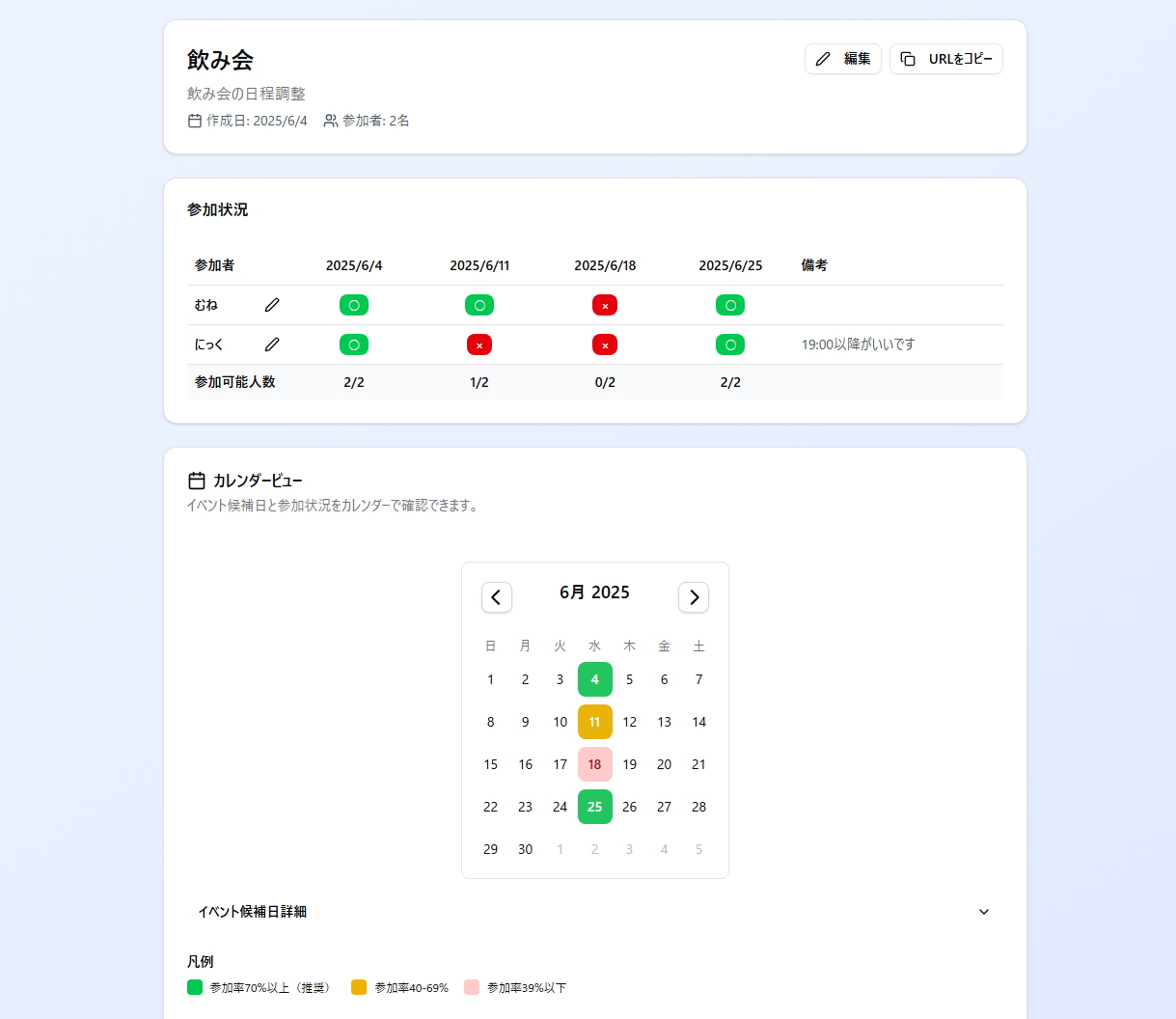
Main features
- No account registration required
- Multiple candidate dates
- Calendar view showing participation rates
- Password protection
- Mobile-friendly design
How to use
1. Create an event
Access https://schedulen.munenick.me and click “Create new event”.
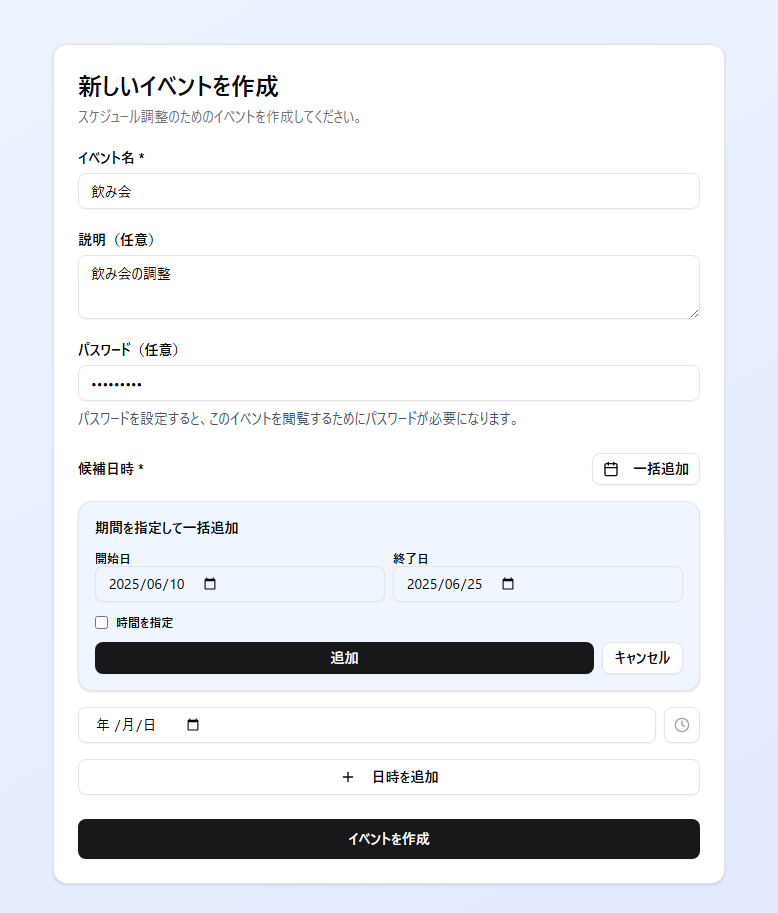
Enter the required information:
- Event name
- Description (optional)
- Password (optional)
- Candidate dates and times
Dates can be added individually or in bulk.
2. Share the URL
After creation, you will be automatically redirected to the event page. Share this URL with participants.
https://schedulen.munenick.me/event/abc123def4563. Register availability
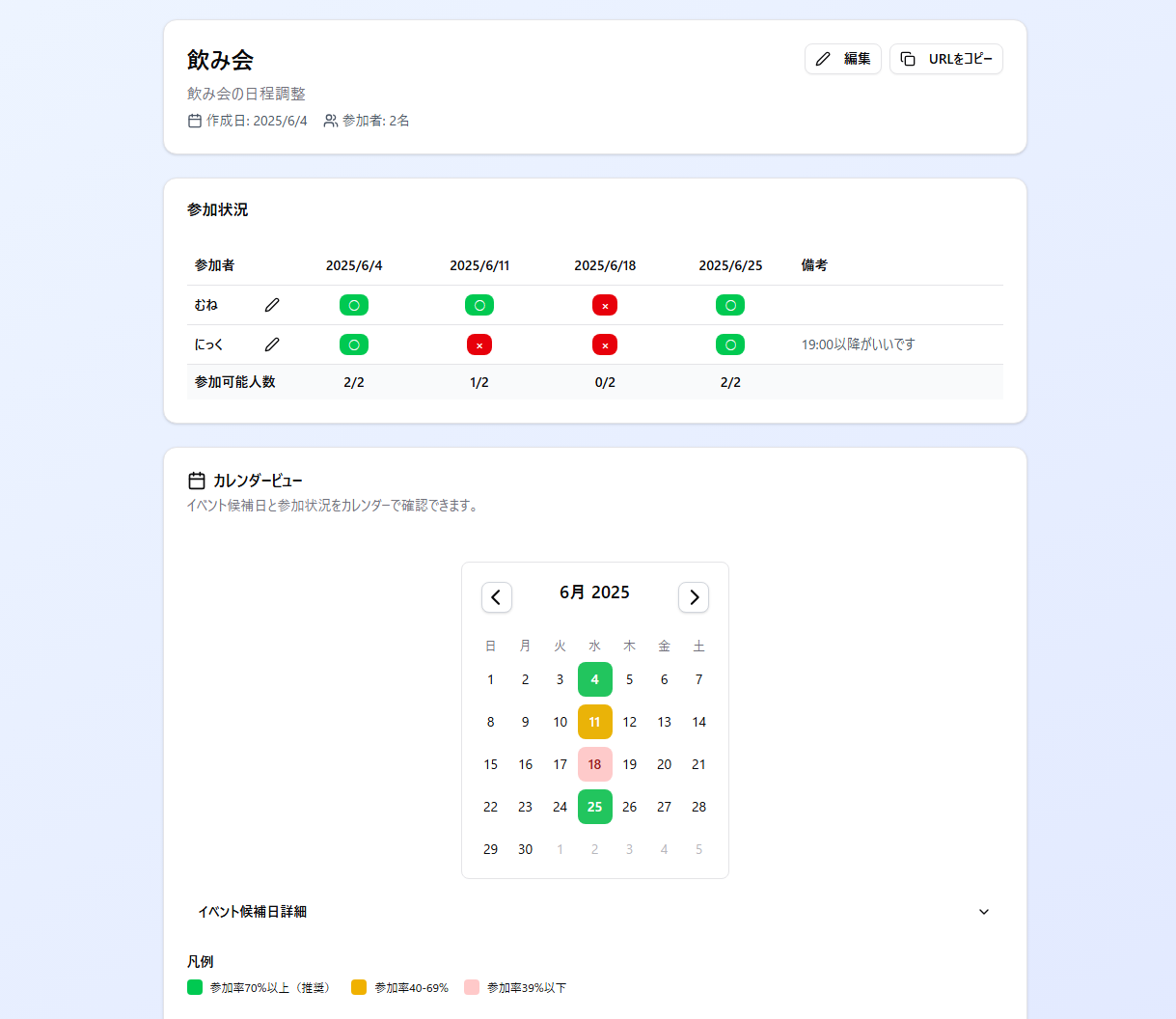
Participants respond by clicking the “Participate” button:
- ○: Available
- ×: Unavailable
- △: Undecided
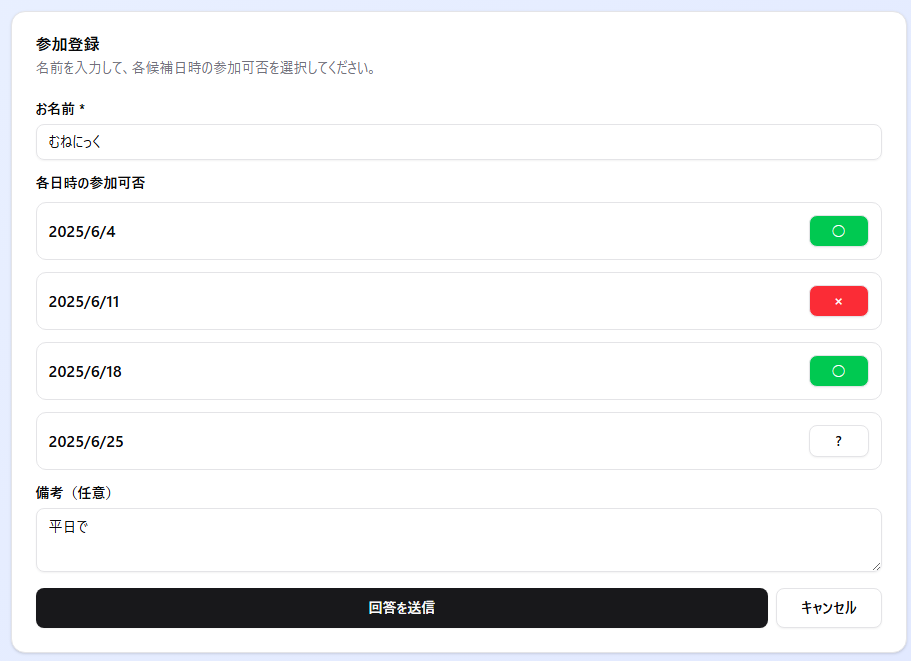
4. Check results
The calendar view lets you see the best dates at a glance:
- Green: 70% or more can participate
- Yellow: 40-69% can participate
- Red: less than 40%
Technical specifications
Repository

Tech stack
- Next.js 15 (App Router)
- React 19
- Tailwind CSS v4
- PostgreSQL
- shadcn/ui
Self-hosting
Docker images are available for those who wish to self-host.
services:
  postgres:
    image: postgres:16
    environment:
      POSTGRES_DB: schedulen
      POSTGRES_USER: schedulen
      POSTGRES_PASSWORD: schedulen_password
    ports:
      - "5432:5432"
    volumes:
      - postgres_data:/var/lib/postgresql/data
    healthcheck:
      test: ["CMD-SHELL", "pg_isready -U schedulen"]
      interval: 30s
      timeout: 10s
      retries: 3

  schedulen:
    image: ghcr.io/munenick/schedulen:latest
    ports:
      - "3000:3000"
    environment:
      DATABASE_URL: postgresql://schedulen:schedulen_password@postgres:5432/schedulen
      NEXT_PUBLIC_BASE_URL: http://localhost:3000
    depends_on:
      postgres:
        condition: service_healthy

volumes:
  postgres_data:
docker-compose up -dConclusion
This application was developed using Claude Code. I was able to create the app in about an hour, including minor adjustments. Initially, I used PGLite, the WASM version of Postgres, which I had been interested in for some time. It was not a good fit for this app, so I migrated to Postgres. Claude Code handled these requirements without problems.
Combined with code-server, it was also possible to develop entirely from a browser. See the article below: https://www.munenick.me/blog/claude-code_on_code-server
Just a year ago, AI felt like only a reference tool. Now it has become something I cannot let go of. The pace of technological progress is intimidating…